
Platform
Know what needs attention now.
One view of the day across every location: checks due, sales to beat, transfers waiting, and counts in progress.
Available now
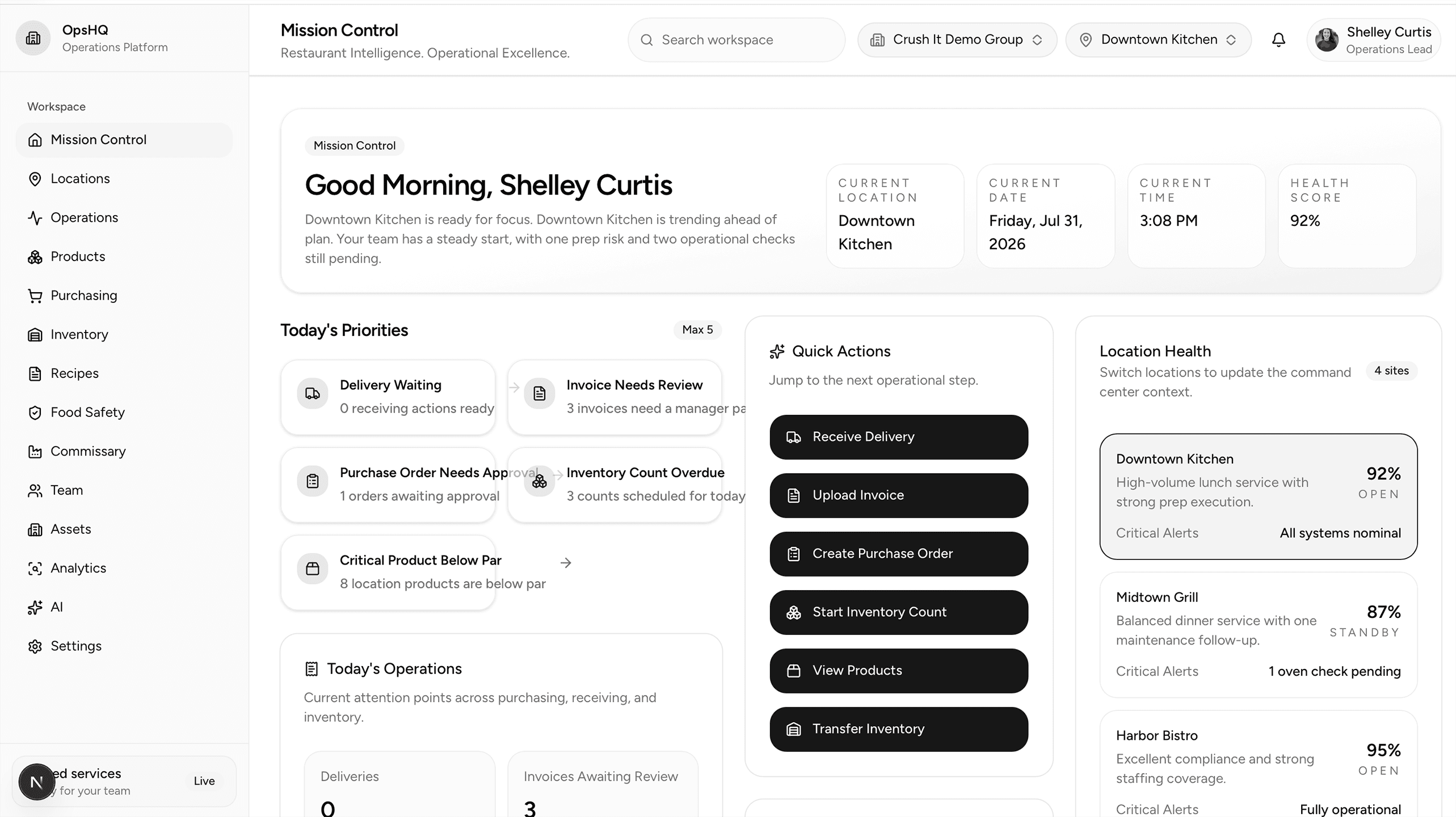
Mission Control
Start every day knowing exactly what requires attention.
Mission Control brings the day's priorities into one view, so every location knows what to handle first.
- Daily priorities by location
- Food safety checks due, overdue, and completed with problems
- Sales to beat today, with yesterday's results by location
- Transfer orders and counts that need action
Start every day knowing exactly what requires attention.
Mission Control brings the day's priorities into one view, so every location knows what to handle first.
Available now
Food safety
Complete food safety checks the same way at every location.
Build a check once, then use it at every location, in the order that location works. Staff record readings and notes as they go, and problems are recorded on the check, not on paper.
- One set of questions, pulled into each location's checklist in your order
- Readings, notes, and corrective actions recorded on the check
- A supervisor verifies and closes a problem before the completed check is submitted
- Completed checks are saved as reports a manager can open later
- Managers receive the full check by email when it is completed, with problem items highlighted
Complete food safety checks the same way at every location.
Build a check once, then use it at every location, in the order that location works. Staff record readings and notes as they go, and problems are recorded on the check, not on paper.
Available now
Sales
Enter the day once, and see the sales to beat today.
The daily entry follows the same sections as the ledger your managers already know, so nothing has to be learned twice. Totals and percentages calculate as the day is entered.
- Daily sales entry by location, in the same order as your ledger
- Totals, discounts, labor percentage, and cash differences calculated for you
- Sales to beat today, based on the same day last year, by location and in total
- A history you can open, check, and correct
Enter the day once, and see the sales to beat today.
The daily entry follows the same sections as the ledger your managers already know, so nothing has to be learned twice. Totals and percentages calculate as the day is entered.
Available now
Inventory and transfers
Count by location and storage area, and move product between locations with a record.
One product list for the whole organization. Counts, balances, and every movement are kept, so a manager can always answer what moved, where, and when.
- Counts by location and storage area, with balances and a full movement history
- One product list across all locations, with categories and vendor details
- Import vendor product lists instead of typing products in one at a time
- Transfer orders between locations, recorded on both sides when fulfilled
- A line can be marked out of stock during fulfillment instead of stopping the whole order
- Both locations are notified by email when a transfer is submitted and when it is fulfilled
Count by location and storage area, and move product between locations with a record.
One product list for the whole organization. Counts, balances, and every movement are kept, so a manager can always answer what moved, where, and when.
Available now
Training
Train every location the same way.
Tests, documents, and announcements live in one place, assigned to the people who need them.
- Tests staff complete in the app, with attempts recorded
- Training documents in one place, instead of in a drawer or a group chat
- Announcements reach every location at once
Train every location the same way.
Tests, documents, and announcements live in one place, assigned to the people who need them.
Purchasing
Turn par levels and on-hand inventory into faster, more accurate orders.
Purchasing helps teams build clean orders and maintain consistency across locations.
- Order recommendations based on par levels
- Order workflows by vendor
- Approval routing before submission
- Order history with full context
Turn par levels and on-hand inventory into faster, more accurate orders.
Purchasing helps teams build clean orders and maintain consistency across locations.
Receiving
Record what arrived and maintain a complete audit trail.
Receiving captures discrepancies and connects them directly to inventory and invoices.
- Line-item receive and reject flows
- Discrepancy capture with notes
- Timestamped audit records
- Location-level receiving history
Record what arrived and maintain a complete audit trail.
Receiving captures discrepancies and connects them directly to inventory and invoices.
Invoice Processing
Review, match, resolve exceptions, and create receiving records without duplicate entry.
Invoice Processing reduces repetitive entry and clarifies what needs review before posting.
- Invoice upload and extraction
- Product and receipt matching
- Exception queue for resolution
- Receiving record creation from invoices
Review, match, resolve exceptions, and create receiving records without duplicate entry.
Invoice Processing reduces repetitive entry and clarifies what needs review before posting.
Early access
Start with what is available now.
Food safety, sales, inventory and transfers, and training are available now, with Mission Control over all of it.